One system for every locate ticket, intake to audit.
Ticket intake, assignment, field docs, and audit-ready closeout — one backbone, one audit trail.
Built from the ground up to do exactly what locate teams require
An operational backbone, not a piecemeal toolkit.
Every part of the locate lifecycle — intake, assignment, field documentation, and closeout — lives in one system with one audit trail.
One-call integration
Direct inbound from ON1Call (Ontario) and Irth/BYDP (BC, AB, MB, SK). Amendments and cancellations reconcile automatically. Outbound status push closes the loop with the call center.
Geofenced workflows
Define geographic areas per company, assign users to them, and optionally restrict scope so locators only see tickets in their territory. Tickets compute membership on save and edit.
Field documentation
Mobile-responsive web app with a purpose-built sketch editor — utility linetypes, stamps, symbols, and custom templates per company. GPS-stamped photo capture organized per ticket.
Audit-ready closeout
Completion PDF generation, in-app PDF annotation, Hold-for-Review queue, Field Audit Checklist, and an append-only ticket history enforced at the database level.
Utility Owner portal
A dedicated read-only portal for utility owners. Visibility across every locator company that touches their infrastructure, with private audit capability and station-code filtering.
Multi-tenant security
Audited Row-Level Security tenant isolation, 38 granular permission keys across 11 capability groups, and per-company outbound email with full SPF/DKIM/DMARC and domain locking.
Built for the way locate teams actually work.
Real screens from the LocateOps platform.
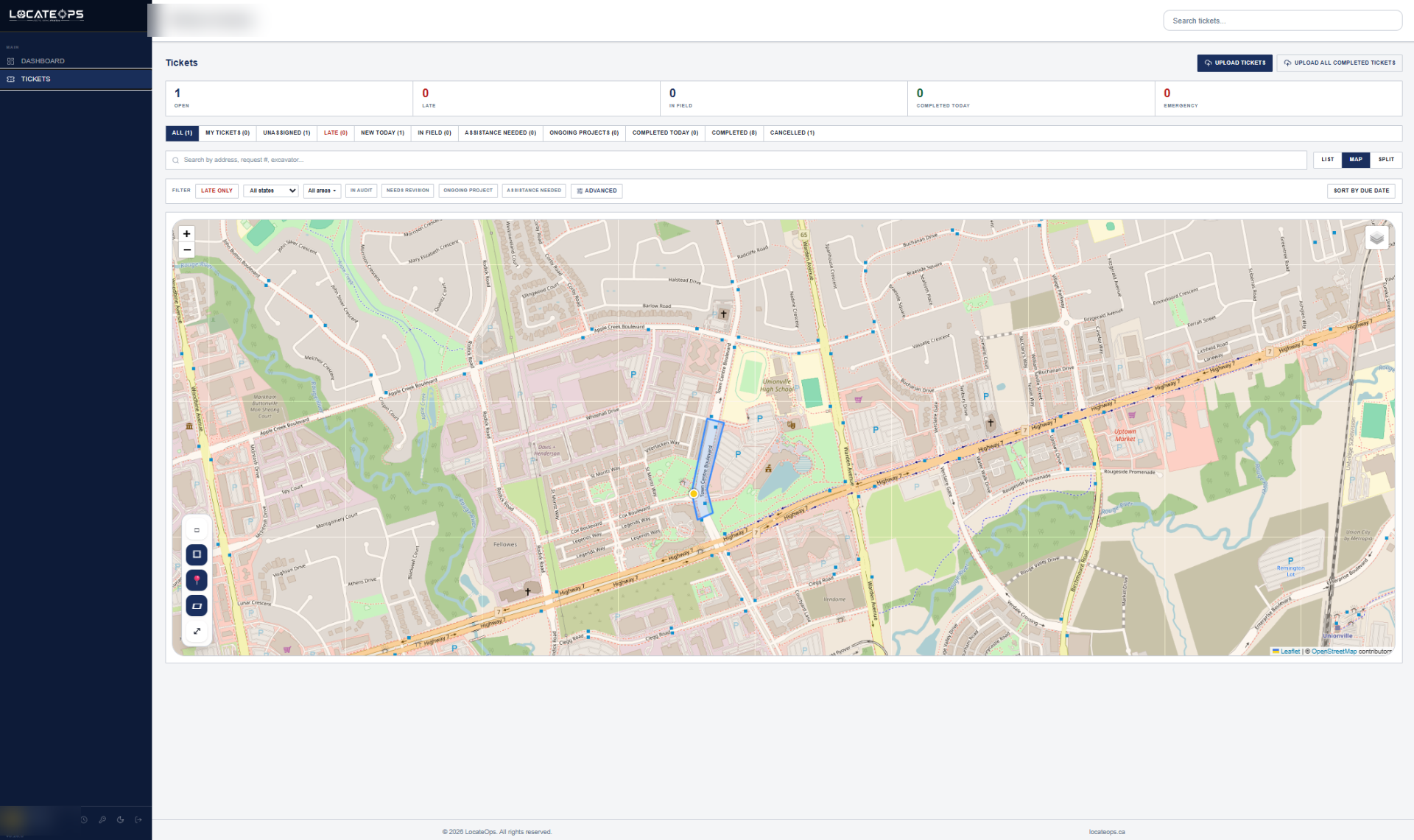
Tickets on the map
Every open ticket plotted with state, area, and priority. Geofence filters built in.
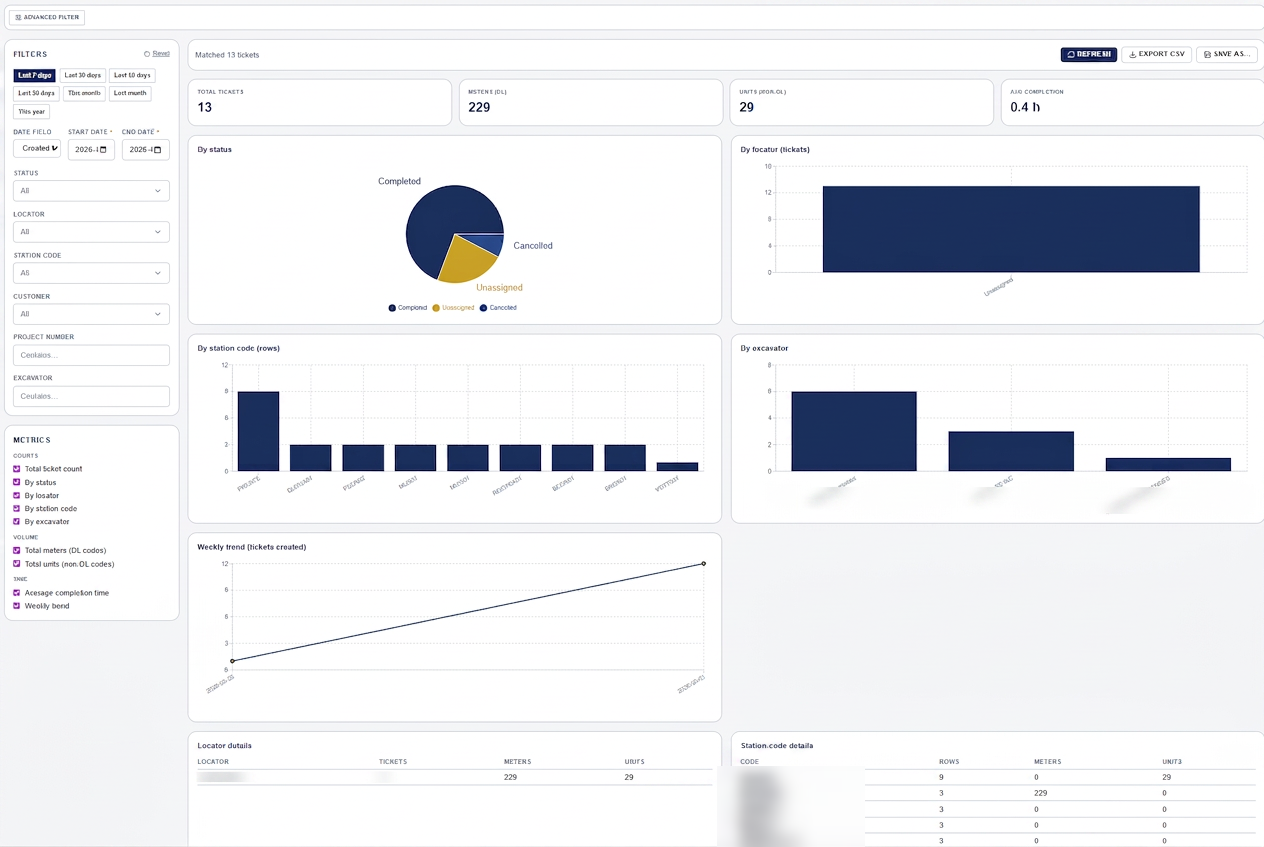
Reports & analytics
Filter by date, locator, station code, customer, or excavator. Export to CSV in a click.
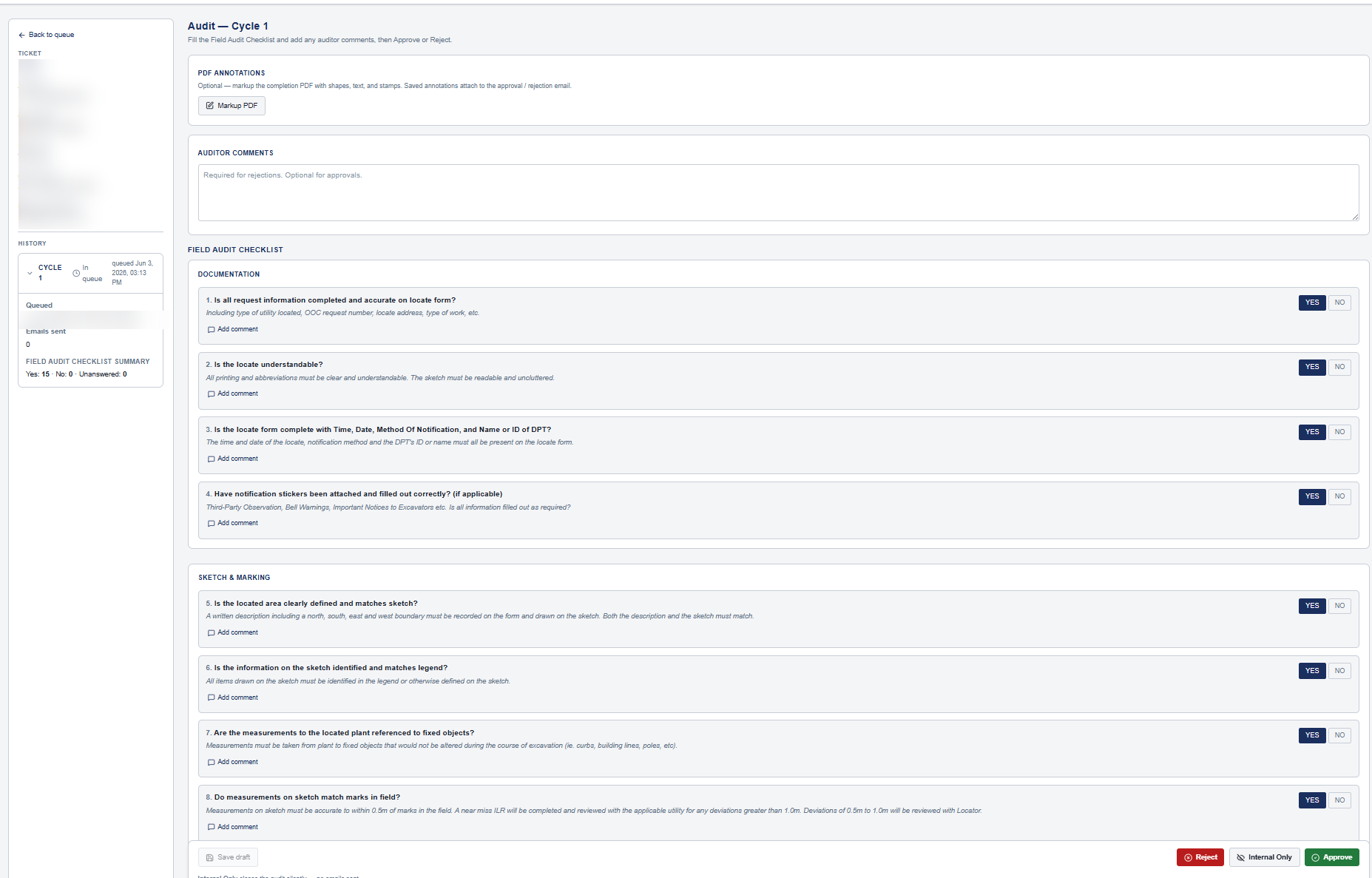
Field audit checklist
Structured audits with PDF annotations, comments, and approve / reject workflow.
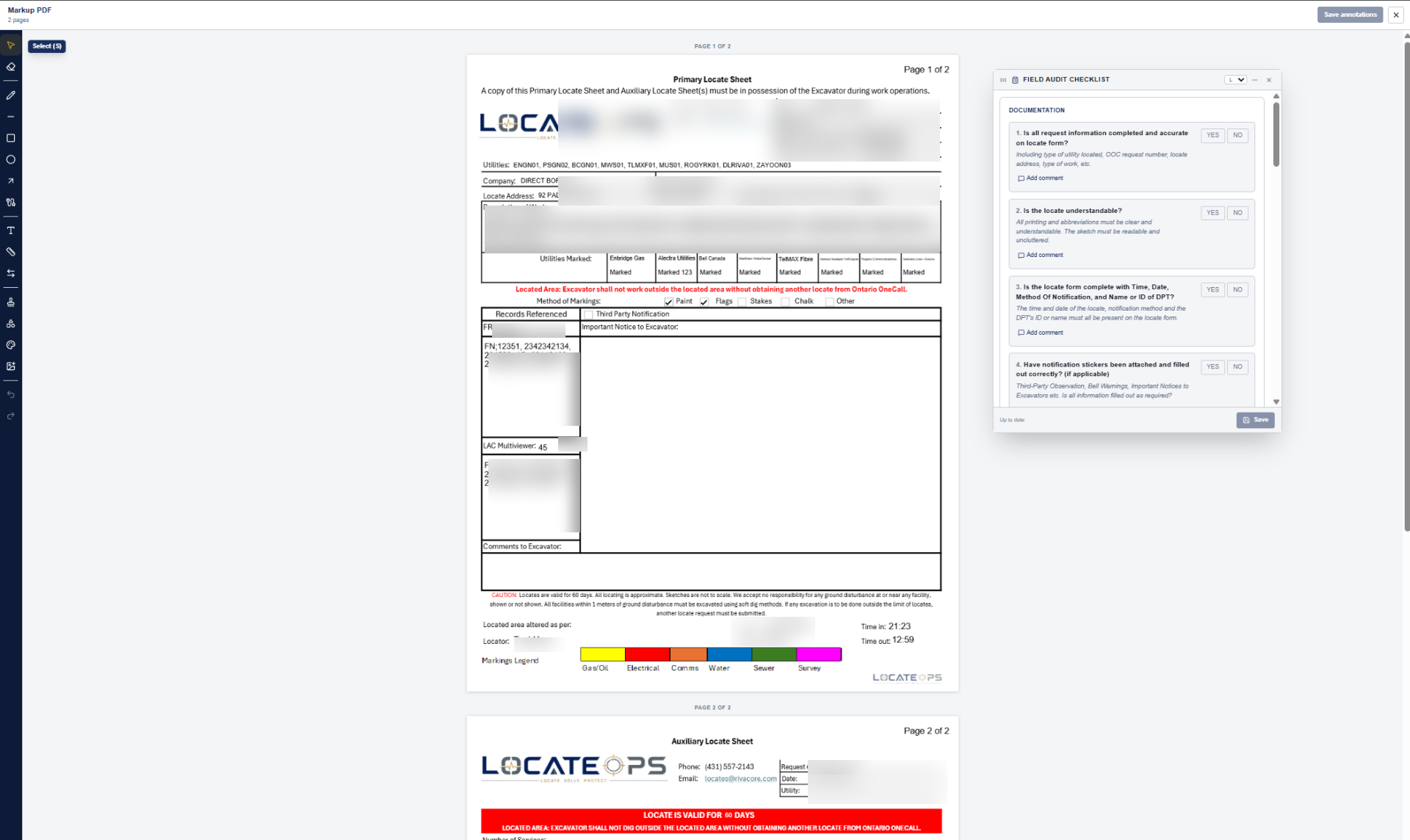
Field audit markup
Mark up completed locate packages directly inside our built-in audit workflow — no separate tool to license.
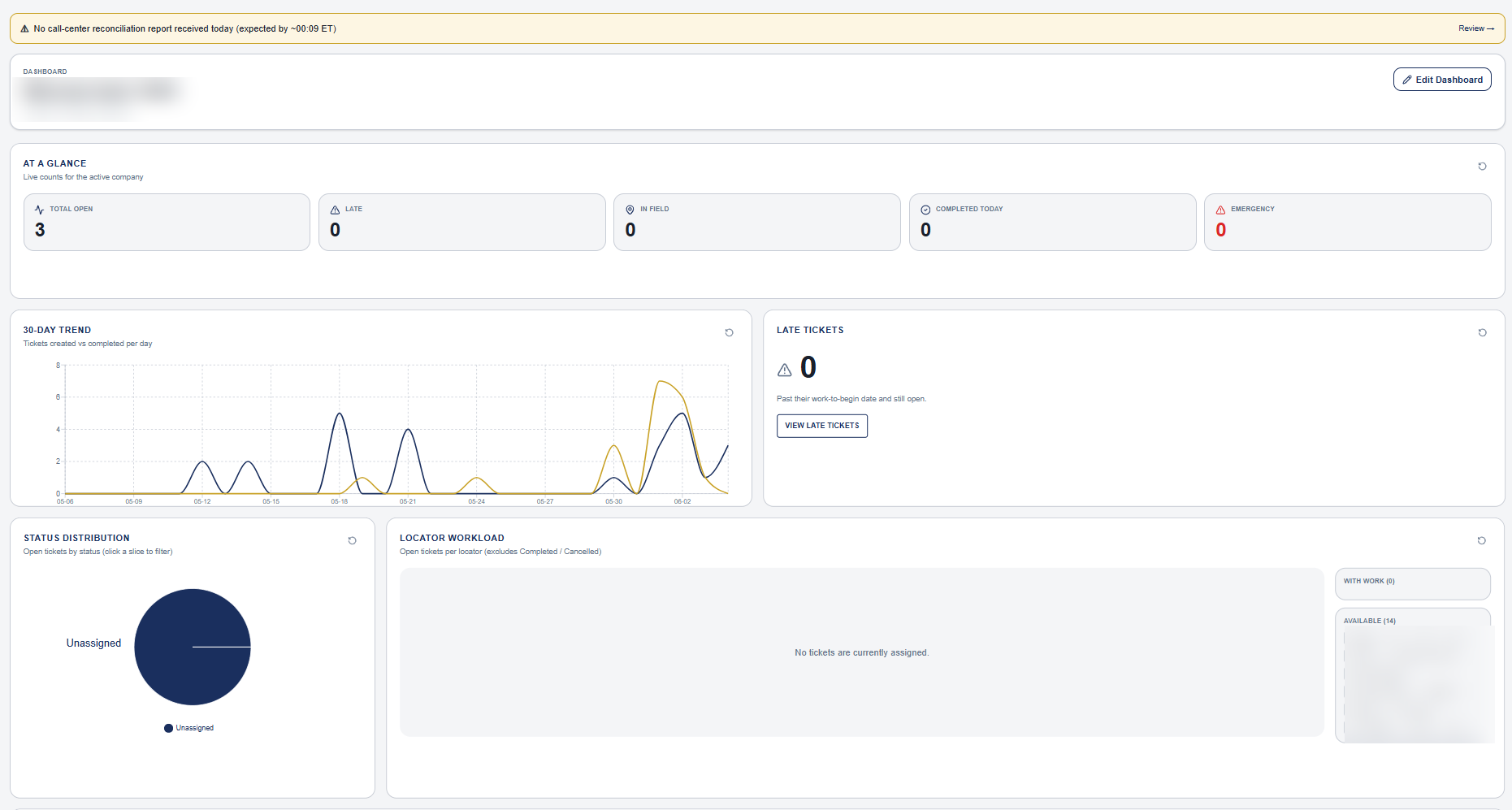
Operations dashboard
Drag-and-drop widgets. Real-time counts, late tickets, in-field crews, and geofence rollups.
Tickets on the map
Every open ticket plotted with state, area, and priority. Geofence filters built in.
Reports & analytics
Filter by date, locator, station code, customer, or excavator. Export to CSV in a click.
Field audit checklist
Structured audits with PDF annotations, comments, and approve / reject workflow.
Field audit markup
Mark up completed locate packages directly inside our built-in audit workflow — no separate tool to license.
Operations dashboard
Drag-and-drop widgets. Real-time counts, late tickets, in-field crews, and geofence rollups.
The LocateOps desktop app — built for the field.
A native Windows app for crews who work where there's no signal. View, edit, and complete tickets, draw sketches, attach photos, and run audits fully offline — then every change syncs automatically the moment you reconnect.
- Fully offline — tickets, sketches, photos, and audits all work on-device
- Automatic background sync when you reconnect — no manual uploads
- Side-by-side conflict review when two people edit the same ticket offline
- Encrypted on-device, with credentials kept in the OS secure store
- Native dashboard, reports, and dispatcher board built for the desktop
- Automatic updates — the app keeps itself current
Windows today · macOS coming soon
What's coming next.
We ship continuously. Here's what's in active development.
See LocateOps in action.
A 30-minute walkthrough tailored to your operation — bring a real ticket and we'll run it end-to-end.