One operational backbone for locate work.
Intake from the call center. Assignment and field work in between. Audit-ready closeout at the end. All in one platform, with one audit trail.
Ticket intake & call-center integration
Direct inbound from ON1Call (Ontario) and Irth/BYDP (BC, Alberta, Manitoba, Saskatchewan). Amendments and cancellations reconcile cleanly. Outbound status push (ON1Call 360 Feedback, Irth CLRP) closes the loop with the call center.
- ON1Call + Irth/BYDP inbound
- Automatic amendment & cancellation handling
- Outbound status push back to the call center
- Emergency + Advanced classification with compliance-driven due dates
Workflow & assignment
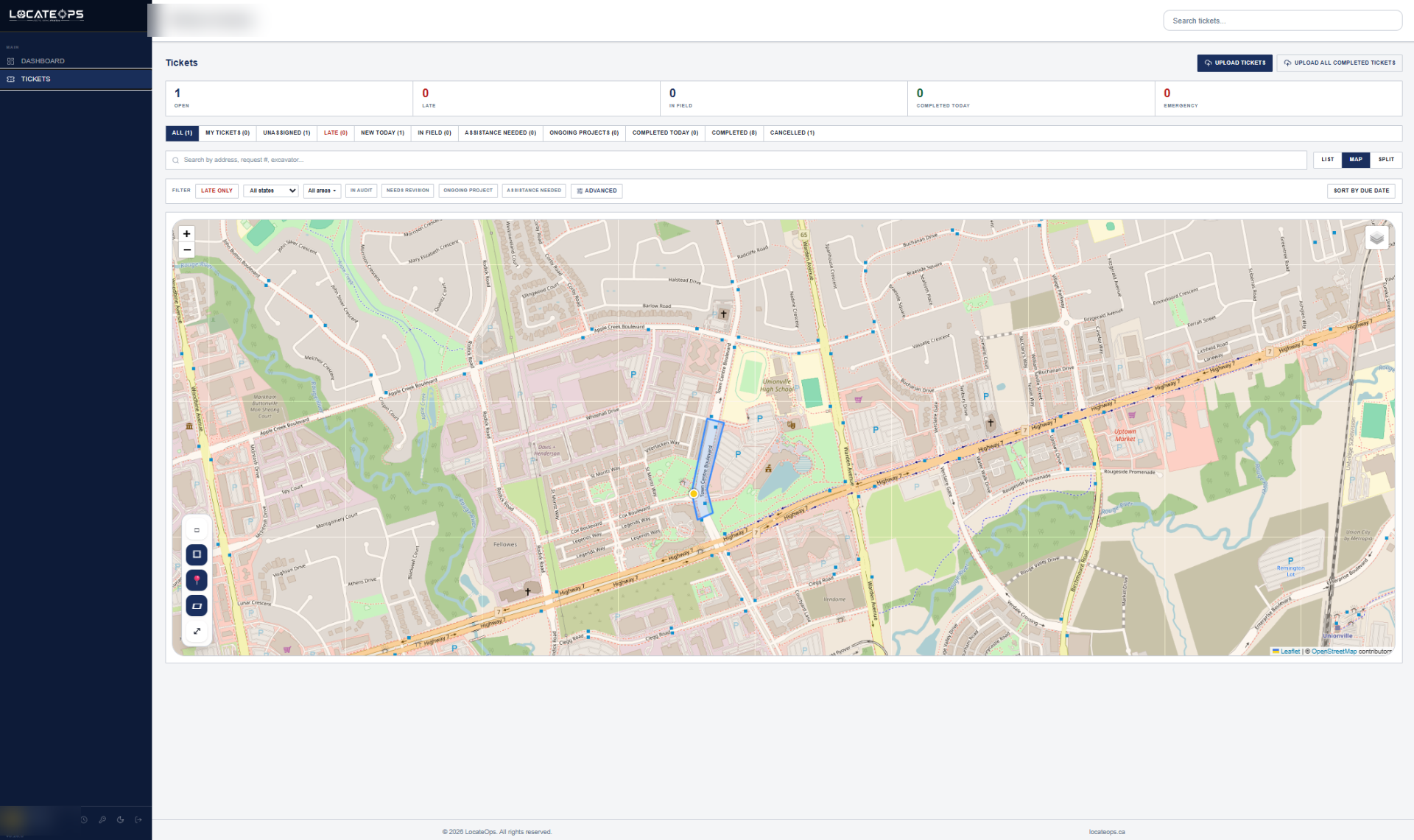
Single and bulk ticket assignment with workflow tags, priority tagging for triage, due-date watchdog, and a Hold-for-Review auto-queue for tickets that need QA. Bulk renegotiate or cancel whole batches in one action. Geofence-based scope is optional — turn it on to restrict locators to their assigned areas. Overlay utility infrastructure records on the map for context while you assign.
- Single + bulk assignment
- Priority tagging (Normal / High / Urgent) for internal triage
- Bulk renegotiation & bulk cancellation
- Infrastructure records overlay on ticket maps (gas, cable, poles)
- Workflow tags for status tracking
- Geofencing with optional scope mode
- Hold-for-Review auto-queue for QA
- Internal Remarks thread for team collaboration
Field documentation
Mobile-responsive web app with a purpose-built sketch editor — utility-aware linetypes, stamps, and symbols. Custom sketch templates and uploadable symbols per company. Import sketches from another ticket on the same locate. GPS-stamped photo capture organized per ticket, with an approximate dig-area size on every ticket.
- Installable PWA with offline field mode
- Native Windows desktop app — fully offline (see below)
- Sketch editor with utility linetypes, stamps, symbols
- Custom sketch templates + uploadable company symbols
- Sketch import from other tickets
- GPS-stamped photo capture per ticket
- Approximate dig-area sizing
Desktop app — built for the field
A native Windows desktop app for crews who work where there's no signal. View, edit, and complete tickets, draw sketches, attach photos, and run audits fully offline — every change syncs automatically when you reconnect. If two people edit the same ticket offline, a side-by-side conflict review lets you keep yours or theirs, field by field. Data is encrypted on-device, with native dashboard, reports, and dispatcher views built for the desktop. Available now for Windows; macOS is on the way.
- Fully offline — tickets, sketches, photos, and audits on-device
- Automatic background sync on reconnect, no manual uploads
- Side-by-side conflict review — keep yours or theirs, field by field
- Encrypted at rest; credentials kept in the OS secure store
- Native dashboard, reports, and dispatcher board for the desktop
- Automatic updates
Audit-ready closeout
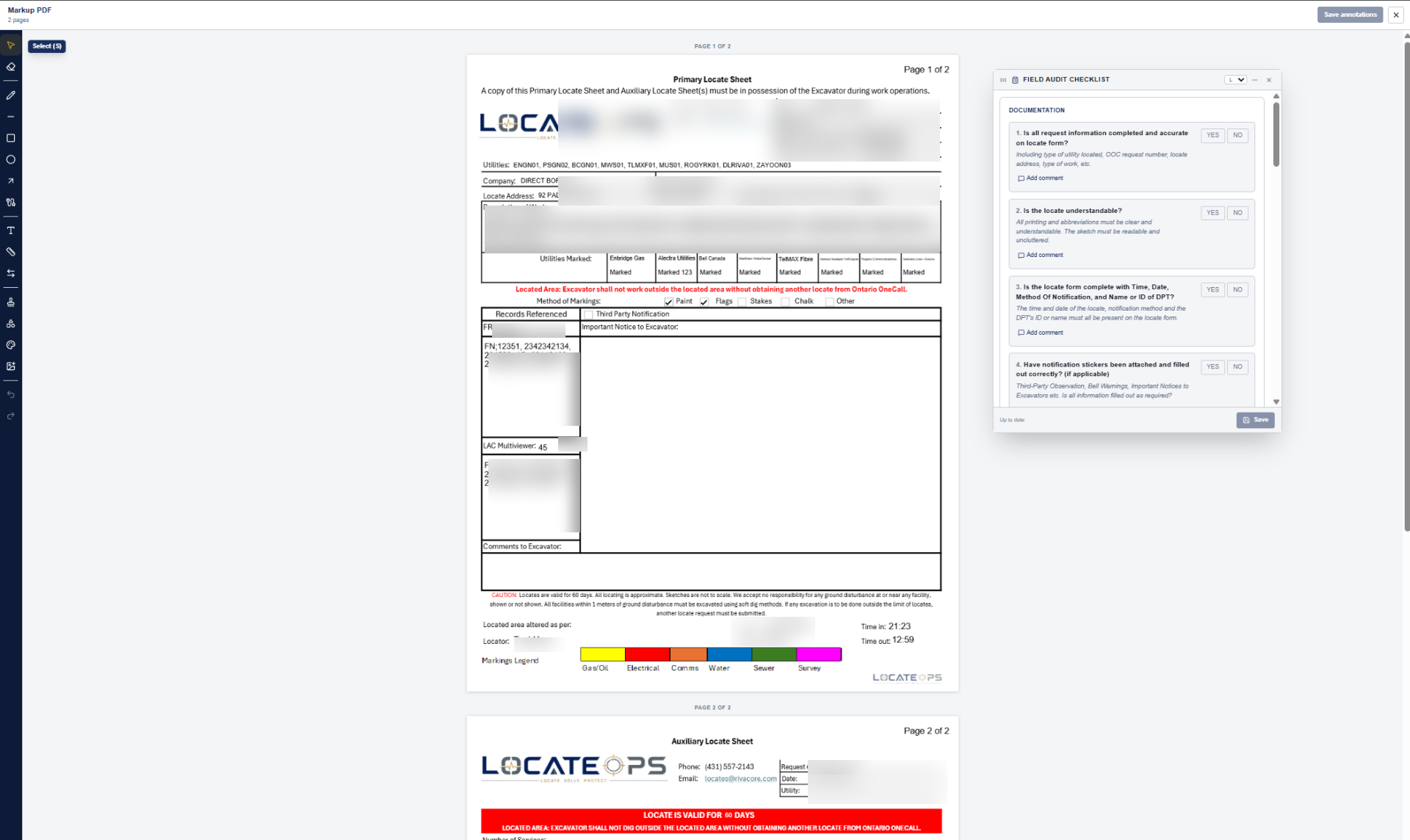
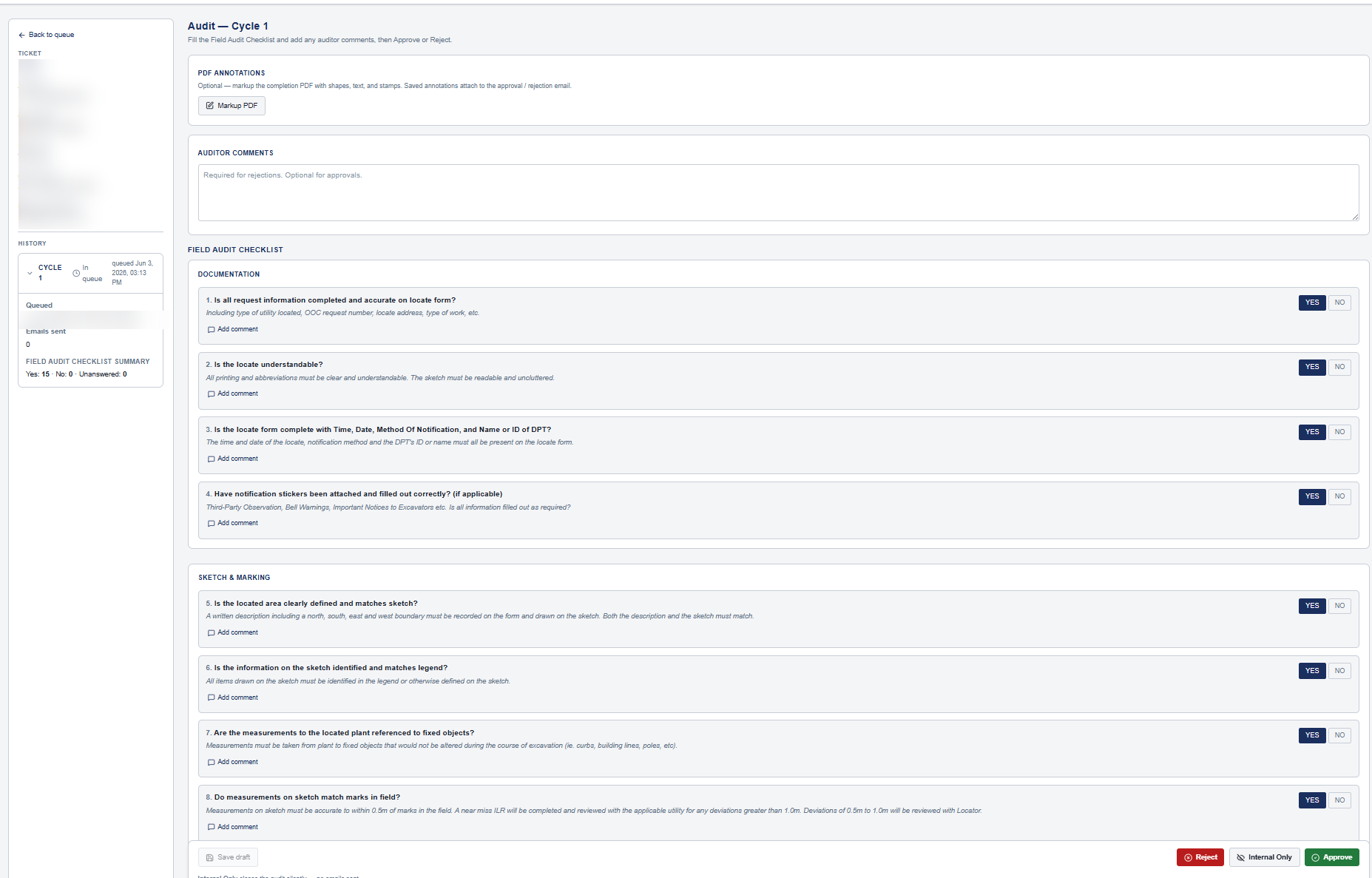
Completion PDF generation with custom layouts. In-app PDF annotation (Bluebeam-style). Field Audit Checklist with approve / reject workflow. Append-only ticket history enforced by database triggers — tamper-evident by design.
- Completion PDF generation, preview, void, and aux ordering
- In-app PDF annotation
- Field Audit Checklist + audit queue
- Append-only ticket history (database-enforced)
- Recorded admin and permission audit logs
Utility Owner visibility
A dedicated portal for utility owners. See locate work across every locator company that touches your infrastructure — read-only — and submit private audit findings for QA. Need to call in your own locates? Run your own crew as a full tenant with the complete locator workflow. Station-code filtering scopes visibility to the right utility owner.
- Read-only visibility across every locator company that touches your assets
- Private audit capability for QA
- Dispatch your own crew — full locator workflow for the tickets you call in
- Station code management
- Locator-to-utility-owner share grants
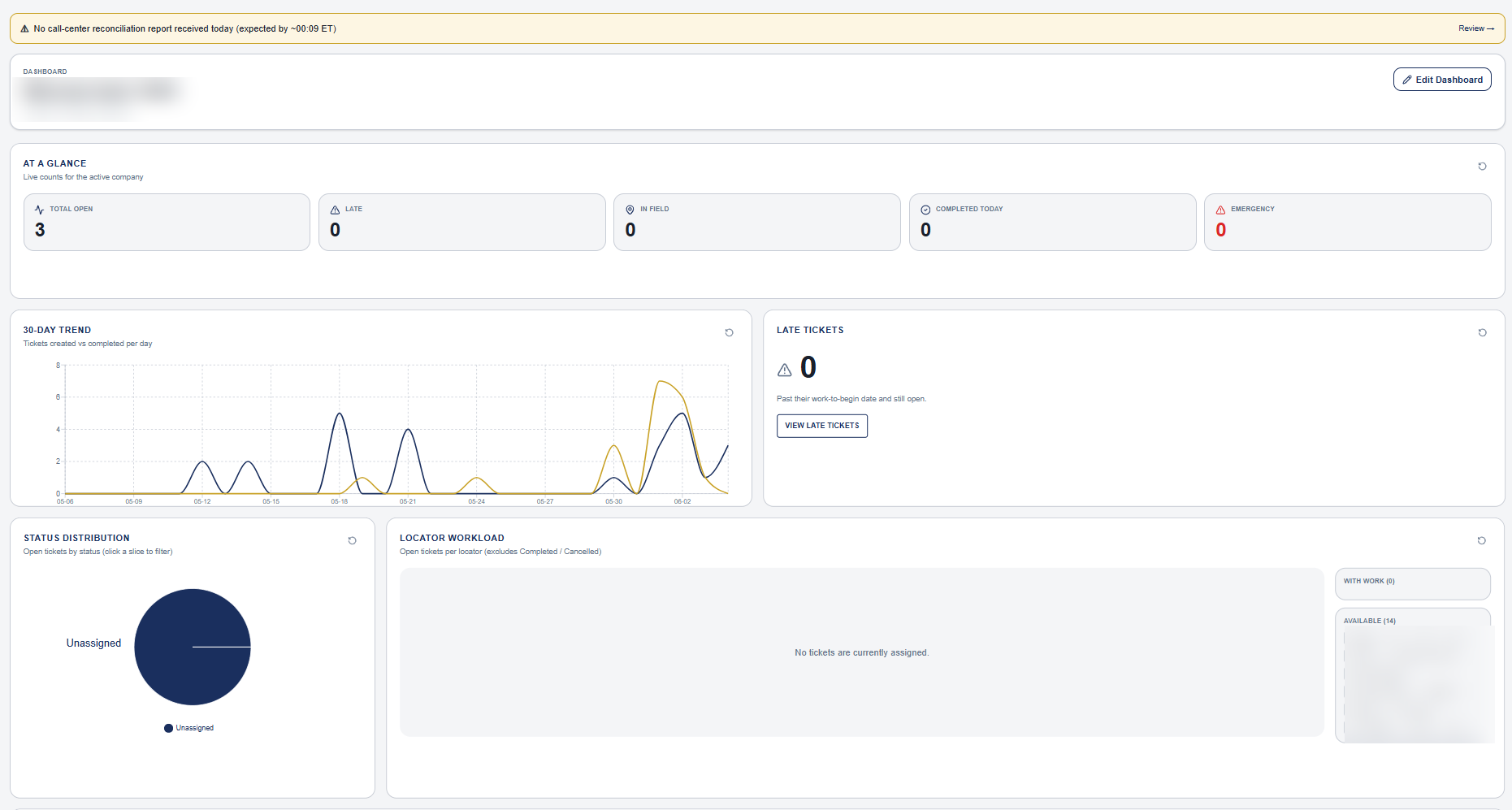
Reports & dashboards
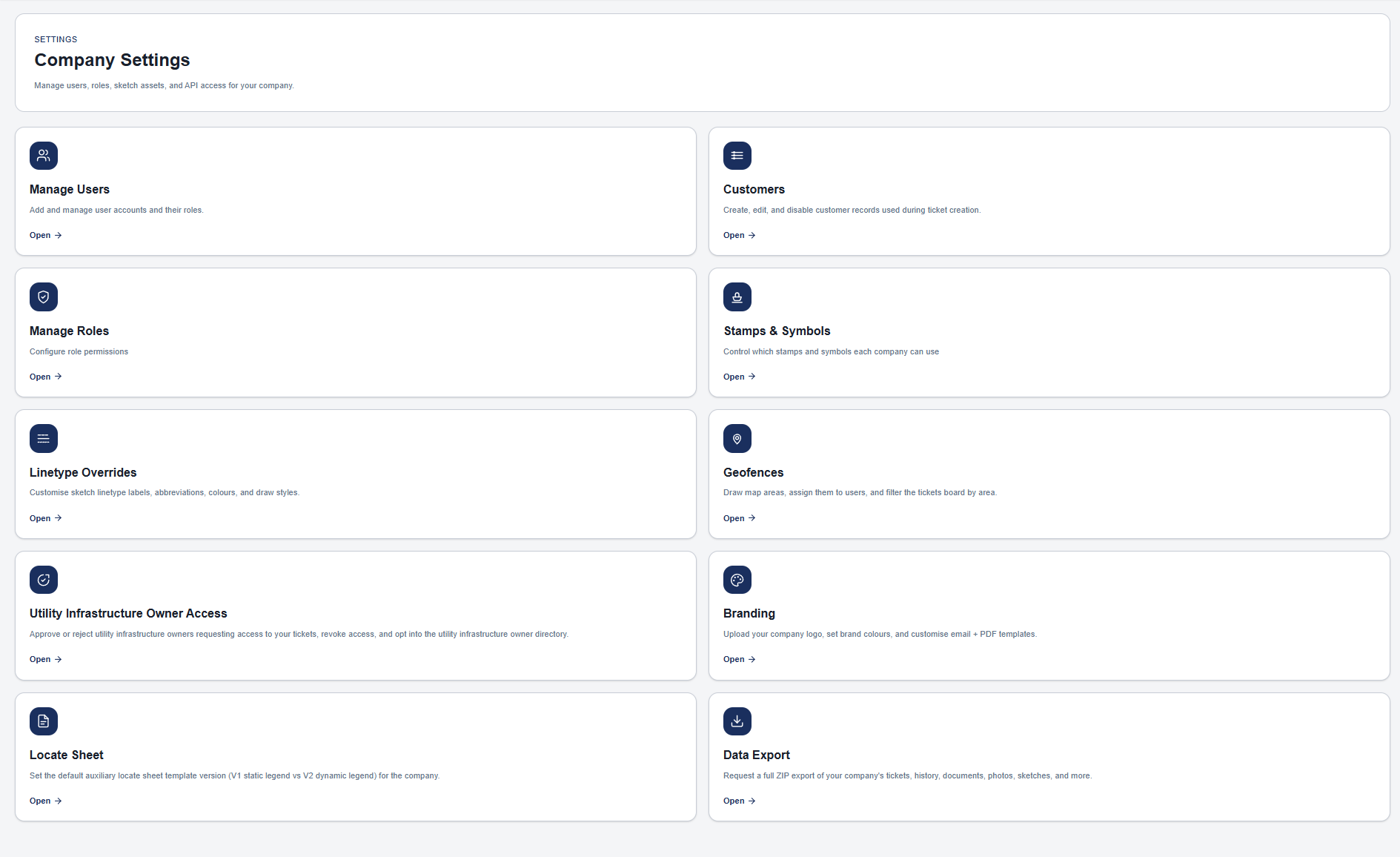
Fully customizable drag-and-drop dashboard. A templates gallery for the reports you run most, plus a custom report builder and CSV exports. Built-in billing reports by station code and customer — unit-based and hourly rates. Per-locator productivity metrics. ON1Call Good-Night reconciliation reports.
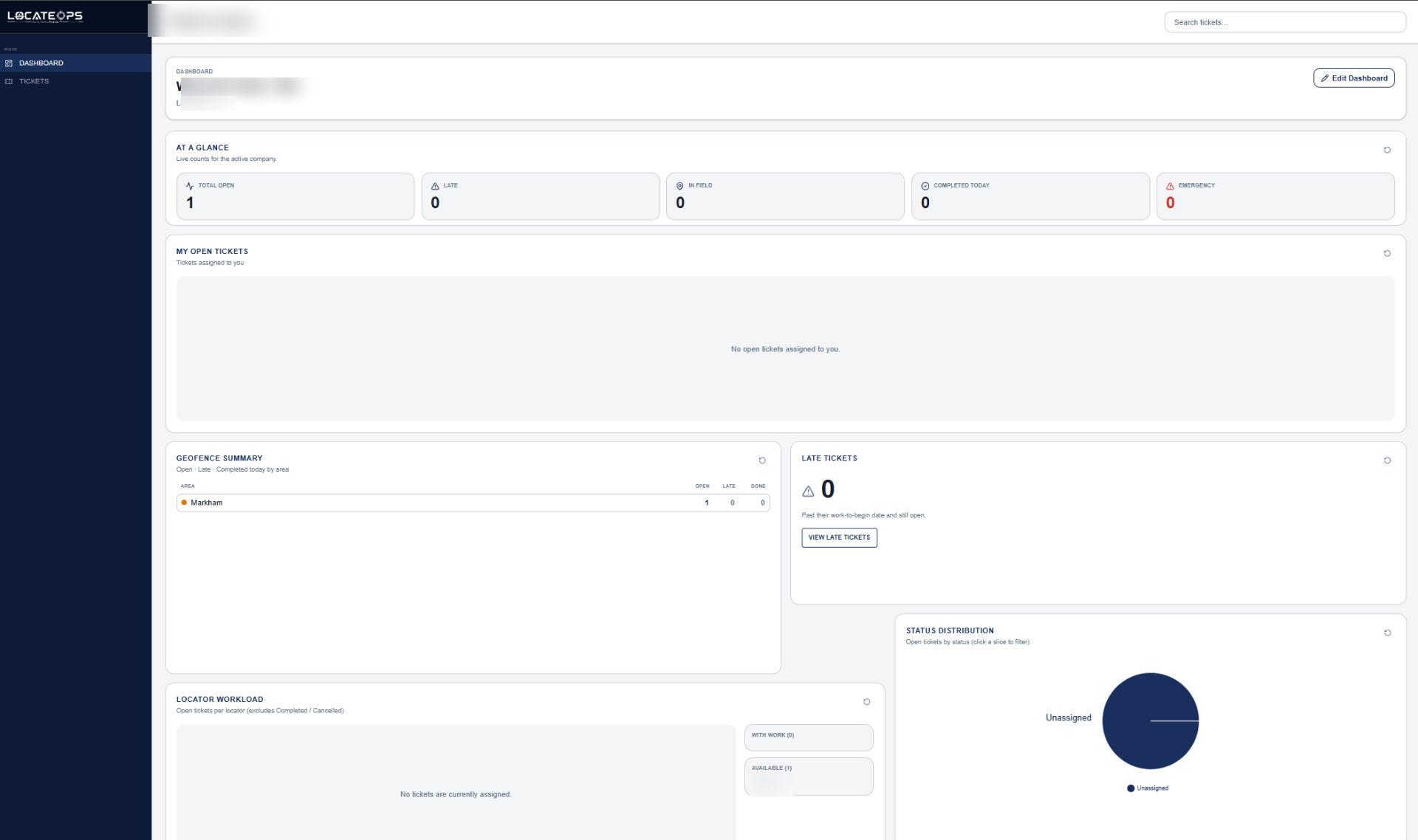
- Drag-and-drop dashboard with per-user widgets
- Real-time metrics: open, late, in-field, completed, emergency
- Built-in billing reports — station-code unit rates and customer hourly rates
- Report templates: per locator, excavator, station code, monthly units
- Per-locator productivity: on-time %, units/ticket, completed/work day
- Custom report builder + CSV export
- Saved searches (per-user and company-wide)
- ON1Call Good-Night reconciliation
Multi-tenant security
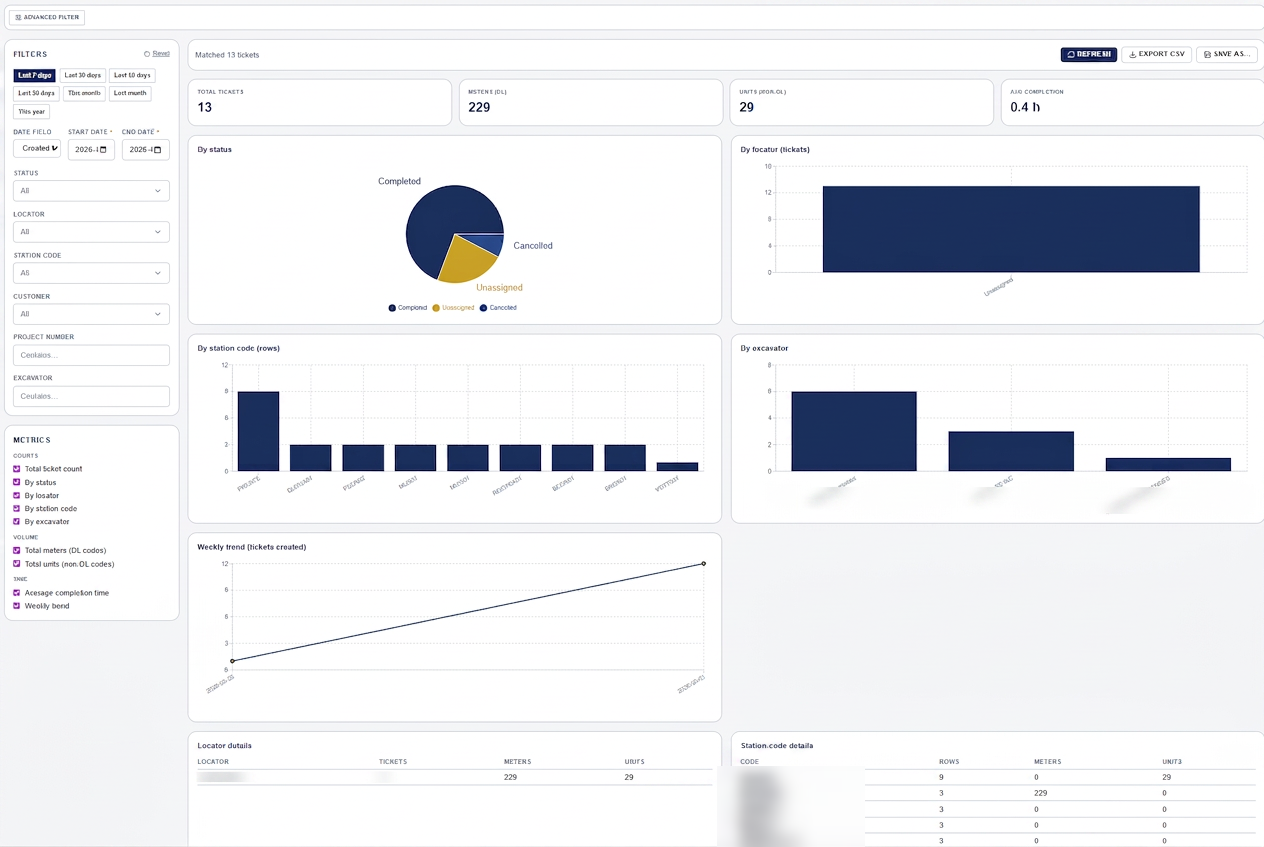
Comprehensive Row-Level Security tenant isolation (audited). 38 granular permission keys across 11 capability groups. Append-only audit logs. Per-company outbound email with full SPF/DKIM/DMARC and domain locking.
- Audited Row-Level Security on every table
- 38 permission keys, 11 capability groups
- Permission audit log on every change
- Per-company branding (logo, colors)
- Per-company outbound email sender with SPF/DKIM/DMARC
Data portability
Your data belongs to you. Full data export, no vendor lock-in, 7-year retention.
- Full data export
- No vendor lock-in
- 7-year retention
On the roadmap.
These are in active development. We'll ship them as they're ready, not before.